Draft v3.3b — ALIGN is in its feedback stage. Share your feedback ↗

Montgomery College · AMP Goal 3.3.b

ALIGN

AI Levels for Instructional Guidance & Navigation

A six-level framework that gives faculty and students a shared vocabulary for if, how, and why generative AI may be used on a specific assignment. One scale, six clear levels — from no AI at all to AI at the center of the work.

Draft v3.3b — now in its feedback stage
ALIGNAI Levels for Instructional
Guidance & Navigation
Draft 3.3b · Spring 2026

Fig. 1. The six ALIGN levels. Hover any level to explore it.

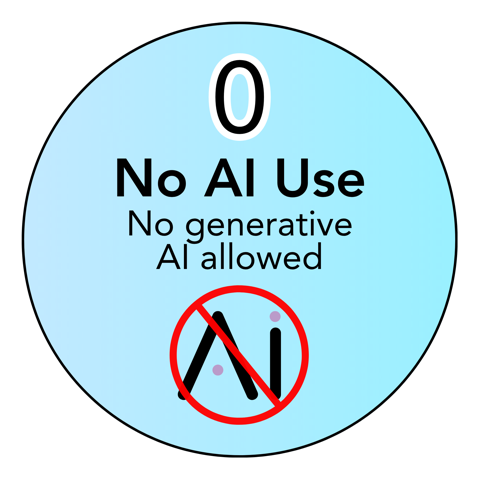
LEVEL 0

No AI Use

No generative AI allowed

Students complete all work independently. Assistive technologies for accessibility remain permitted.

Best for: Foundational skill-building, timed assessments, and work where individual reasoning is the point.

See Level 0 in practice ↓

Why ALIGN exists

A student sits in two classrooms on the same day. One bans AI entirely; the other requires it. That evening, a job posting lists AI fluency as a required skill.

Three different messages, one student, no clear way to reconcile them. The problem is not that faculty disagree about AI — disagreement across disciplines is pedagogically sound. The problem is that students cannot read those differences when every classroom speaks its own language.

Clarity is a form of equity.

The six levels

Each level below includes the framework definition, ready-to-use assignment language, and a real example from a Montgomery College course.

Level 0 — No AI Use
LEVEL 0

No AI Use

No generative AI allowed

Students complete all work independently. Assistive technologies for accessibility remain permitted.

Best for: Foundational skill-building, timed assessments, and work where individual reasoning is the point.

Sample assignment language

Complete this assignment without generative AI tools. Do not use ChatGPT, Copilot, Gemini, or similar tools at any stage (planning, drafting, revising, or submission). Spell check and grammar check built into Word or Google Docs are permitted. Accessibility tools approved by DSS are always permitted.

In practice at MC

BIOL 150 Lab report

The report assesses whether the student can document a scientific process accurately. AI-generated text would bypass the skill being measured.

Visible student thinking: No AI documentation needed — the work itself is the evidence.
Level 1 — Limited
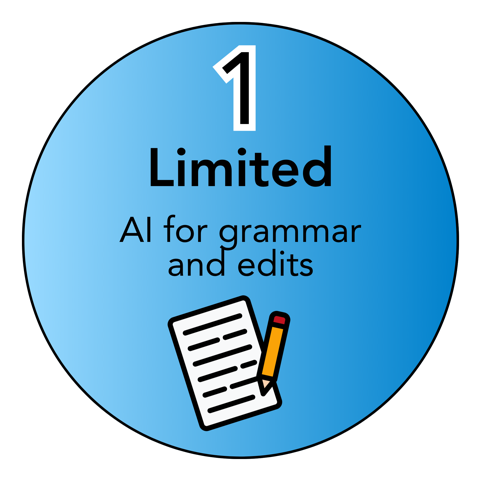
LEVEL 1

Limited

AI for grammar and edits

Students write original content and use AI only for grammar, clarity, or minor wording after drafting. Brief disclosure required.

Best for: Writing focused on ideas and argument, professional communication tasks.

Sample assignment language

Write the original draft of this assignment without AI assistance. After drafting, AI tools may be used for grammar, spelling, and minor clarity edits only. AI should not add ideas, restructure arguments, or change the meaning of the work. Include a one-sentence disclosure at the end stating what AI tool was used and for what purpose.

In practice at MC

ENGL 101 Argumentative essay — revision stage

The draft measures the student's own argumentation and voice. Grammar checks after drafting mirror professional editing practice.

Visible student thinking: A one-sentence disclosure of AI editing use.

Level 2 — Brainstorming
LEVEL 2

Brainstorming

AI for ideas and outlines

AI may support early-stage idea generation or planning. Students produce the final work themselves and explain how AI shaped their thinking.

Best for: Research topic exploration, project proposals, essay outlining.

Sample assignment language

AI tools may be used to brainstorm topics, explore possible angles, or develop an outline for this assignment. All final written work must be produced independently. Include 2–3 sentences at the end explaining how AI contributed to the planning process and what was changed or discarded from the AI suggestions.

In practice at MC

COMM 108 Persuasive speech — outline stage

AI can help generate and organize initial talking points. The speech itself must reflect the student's own voice and reasoning.

Visible student thinking: Short reflection or bullet points explaining how AI influenced planning.

Level 3 — Collaborative Creation
LEVEL 3

Collaborative Creation

AI helps with parts of work

Students may use AI to draft or revise portions of the assignment while maintaining responsibility for the final work, including review, revision, and citation.

Best for: Revision-focused assignments and projects involving writing or coding.

Sample assignment language

AI tools may be used to help draft or revise sections of this assignment. Students are responsible for reviewing all AI output, applying their own judgment, and ensuring the final submission reflects their own understanding. Submit a brief note identifying which sections involved AI assistance and what revisions were made. AI use must be cited or acknowledged.

In practice at MC

CMSC 140 Final programming project

The final project mirrors real developer workflows where AI-assisted coding is documented.

Visible student thinking: Prompt excerpts, comparisons between AI output and final work, or annotations.

Level 4 — Advanced Integration
LEVEL 4

Advanced Integration

AI for complex tasks

AI supports complex, multi-step tasks such as synthesis, analysis, or project development. Students document process and evaluate accuracy, bias, and ethics.

Best for: Research projects, data analysis, scenario simulations.

Sample assignment language

AI tools may be used to support complex tasks in this assignment, including synthesis, data analysis, scenario modeling, or project planning. Students must evaluate all AI outputs for accuracy, bias, and limitations. Submit process documentation that includes: what AI tools were used, how outputs were evaluated, and what decisions were made based on AI results versus independent analysis.

In practice at MC

BSAD 210 Company strategy analysis — research stage

AI supports synthesizing research angles across sources; students evaluate outputs and document the decisions they made along the way.

Visible student thinking: Structured process documentation, decision logs, and evaluation of accuracy, bias, and ethics.

Level 5 — Innovation & Exploration
LEVEL 5

Innovation & Exploration

AI is central to the assignment

AI is a core component of the assignment. Students demonstrate advanced AI literacy, ethical reasoning, and workforce-aligned reflection. Full process documentation required.

Best for: Discipline-specific AI applications and design work.

Sample assignment language

AI is a central component of this assignment. Students are expected to design an AI-integrated workflow, document the full process (prompts, iterations, tool selection, decision points), and provide ethical reflection on AI's role, limitations, and implications. The assessment evaluates critical thinking, process documentation, and innovation, not just the final product.

In practice at MC

Business capstone AI-integrated market research brief

Students design their own AI workflow to research a real client brief — selecting tools, documenting prompts and iterations, and reflecting on where AI strengthened or limited the analysis. The process documentation is part of what's assessed.

Visible student thinking: Full process documentation: prompt logs, design rationale, ethical analysis, and self-assessment.

What ALIGN is — and is not

ALIGN is

  • An assignment-level tool — not a blanket course policy
  • A shared language for faculty, students, staff, and support units
  • A framework designed to protect learning outcomes and academic integrity
  • Aligned with MC's values of equity, access, and faculty-driven pedagogy

ALIGN is not

  • A mandate to use AI — Level 0 is a full and legitimate choice
  • A ranking system — Level 5 is not “better” than Level 0
  • A replacement for faculty judgment
  • An AI detection or surveillance system

Five design principles

01

Faculty Autonomy

Faculty choose the level that fits their learning goals. ALIGN does not prescribe what level to use.

02

Transparency

When AI is allowed, students disclose how they used it. The framework replaces guesswork with clarity.

03

Human Oversight

AI supports learning but does not replace student thinking or faculty evaluation.

04

Equity & Access

The framework avoids requiring paid tools or disadvantaging students with limited access to technology.

05

Academic Integrity

Undisclosed or prohibited AI use is treated like any other integrity issue — the emphasis is on clear communication, not surveillance.

Help shape ALIGN

ALIGN v3.3b is a draft, and this is the feedback stage. Whether you teach, support students, or are a student yourself — your perspective will shape the framework before broader implementation.

Share your feedback ↗